GLM-Image: AI Image Generator with Accurate Text Rendering
Transform text into stunning visuals with GLM-Image AI generation. Experience accurate text rendering in ~20 seconds with GLM-Image
Transform text into stunning visuals with GLM-Image AI generation. Experience accurate text rendering in ~20 seconds with GLM-Image
Explore what's possible with GLM-Image AI-powered generation - from posters to infographics
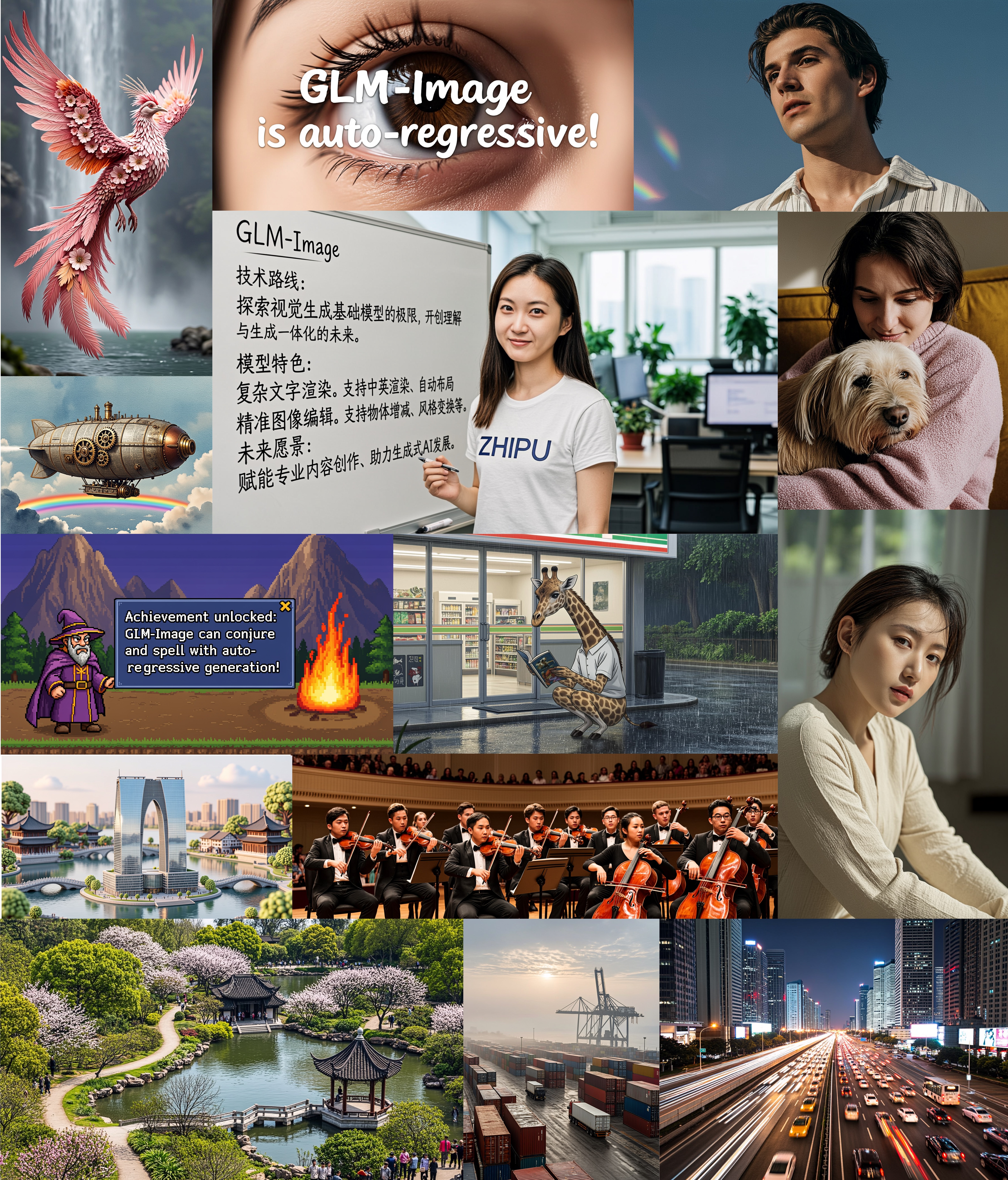
From posters to social media graphics, delivers professional-quality visuals with accurate text rendering.
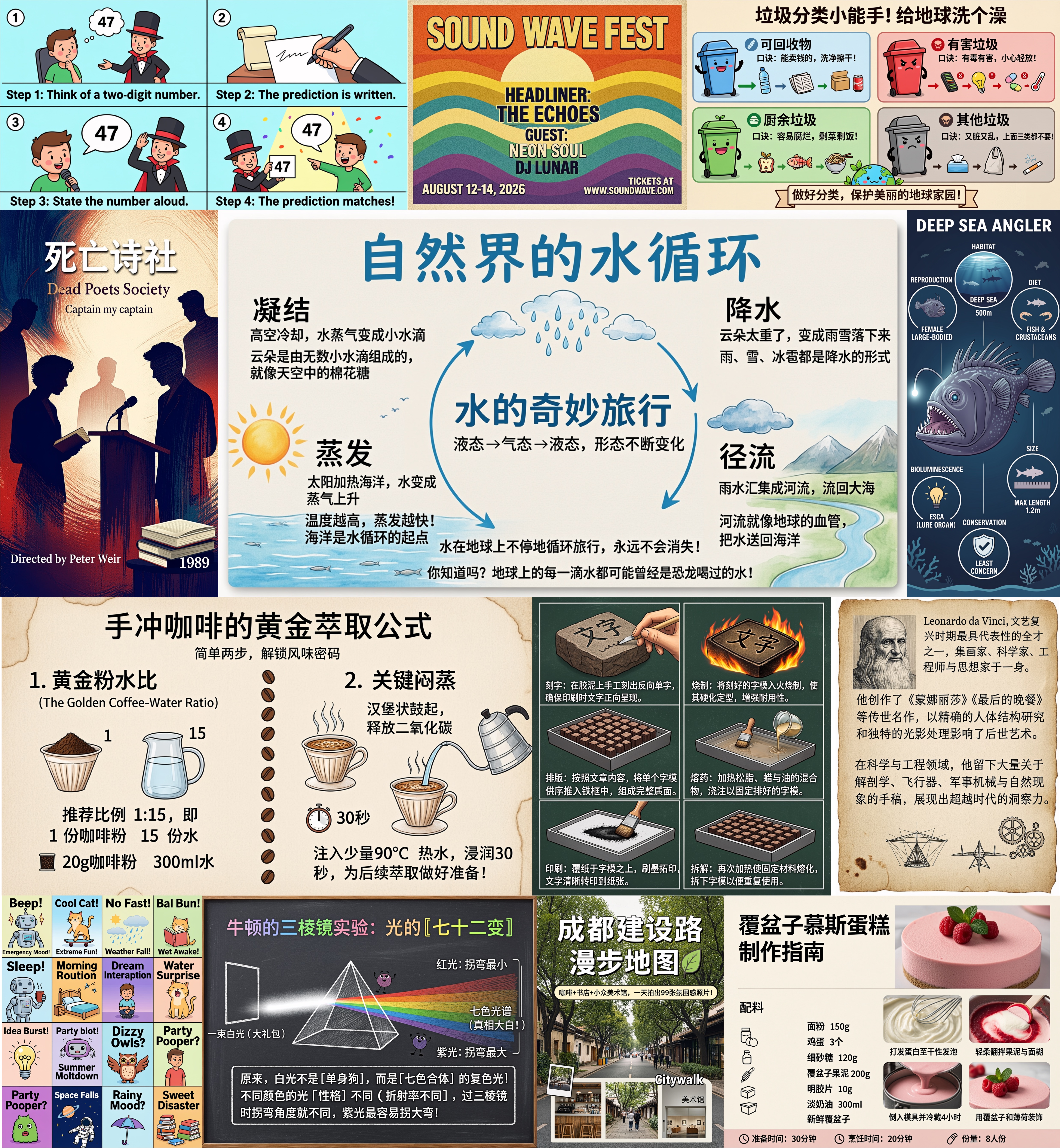
Perfect for educational posters, infographics, and scientific diagrams with readable text and structured layouts.
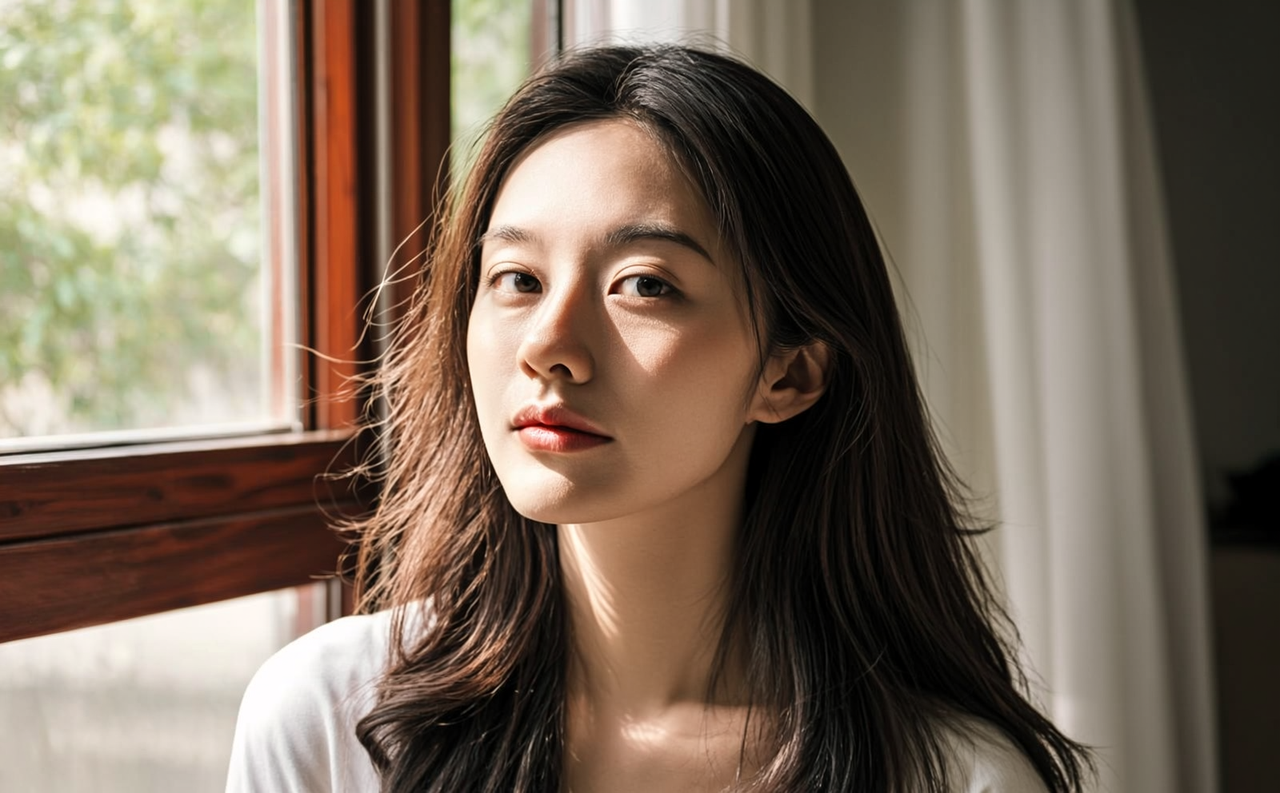
Generate stunning portraits with natural lighting, detailed features, and professional quality for any creative project.
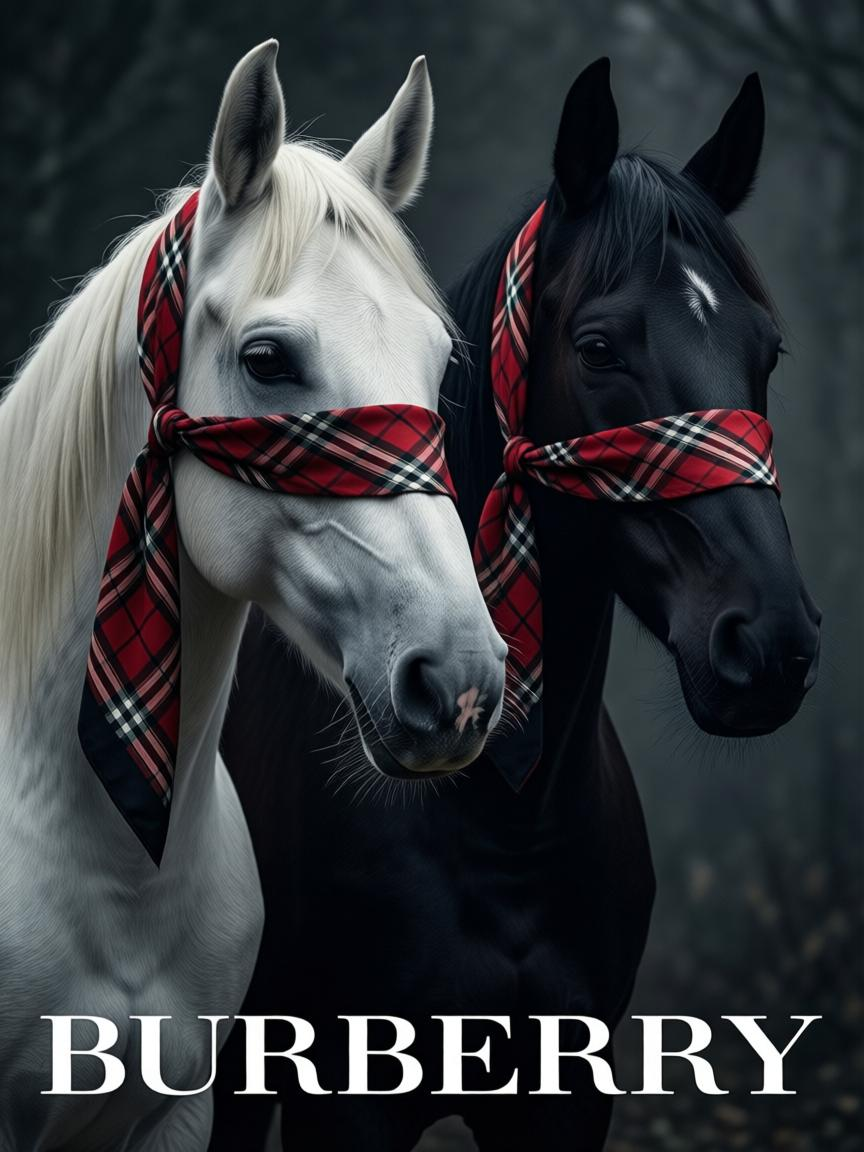
Create product promotional tiles, pricing banners, and marketing graphics with accurate text and professional design.
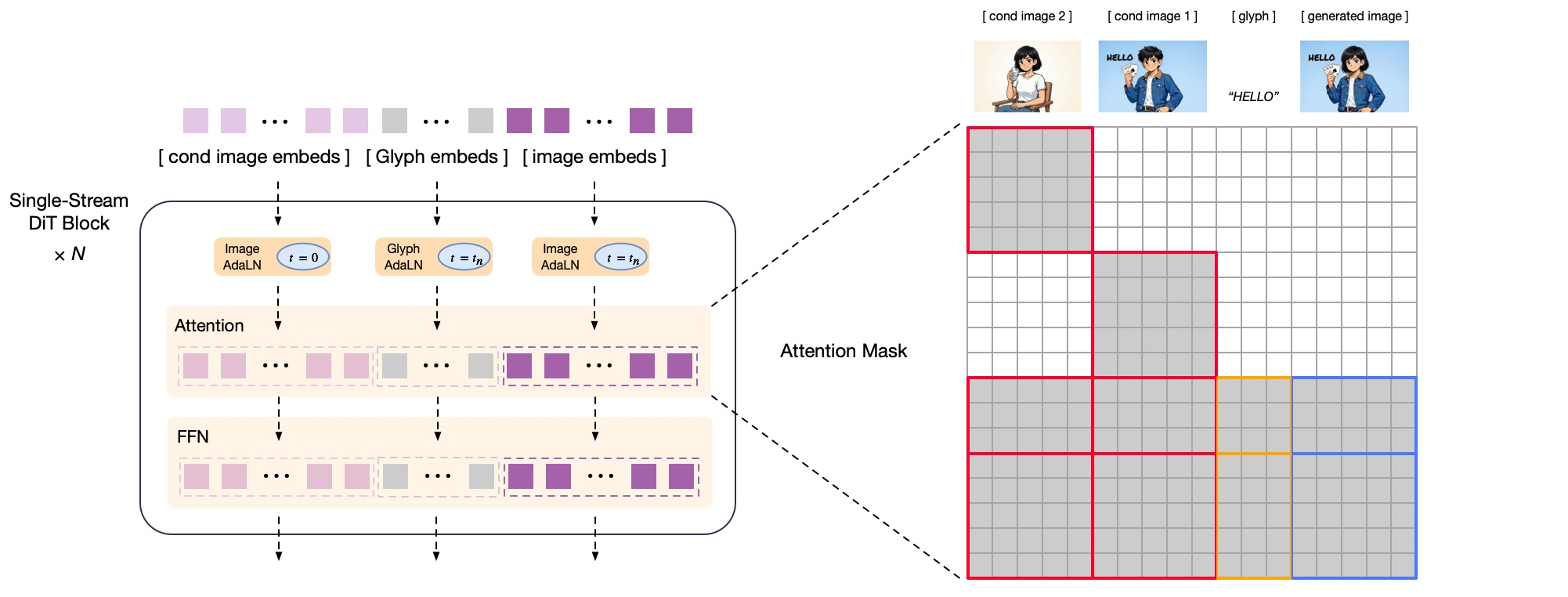
Advanced hybrid architecture combining autoregressive planning with diffusion rendering for superior quality.
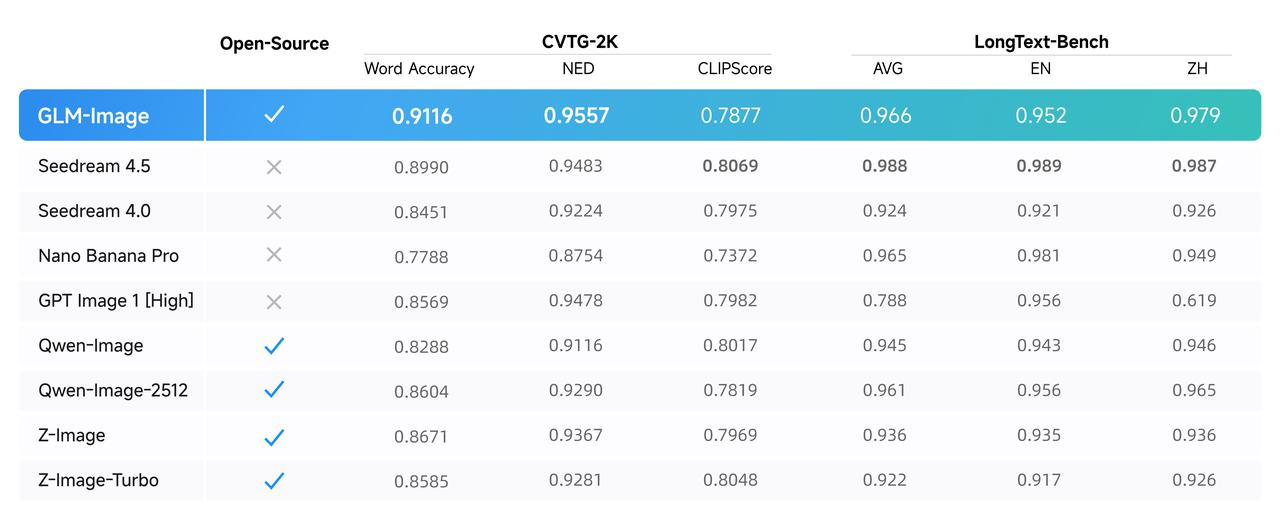
Specialized Glyph Encoder ensures accurate text rendering in multiple languages for professional-quality results.
GLM-Image is an AI text-to-image model optimized for text-heavy visuals, knowledge-dense designs, and commercial-ready graphics.
GLM-Image excels at understanding what you want. GLM-Image combines sharp local details with global composition understanding, so you spend less time re-rolling prompts.
GLM-Image includes a specialized Glyph Encoder module that dramatically improves text accuracy. Say goodbye to gibberish letters and hello to readable titles and labels with GLM-Image.
GLM-Image's two-stage design features an autoregressive planner that "thinks" in visual tokens, plus a diffusion decoder that turns plans into high-detail pixels.
What users actually build with GLM-Image AI generator
Perfect for: Event posters, promo banners, YouTube/Podcast covers, Instagram quote cards
GLM-Image handles text-heavy layouts better than most image models. GLM-Image helps generate complex layouts with multiple text elements while maintaining readability.
Perfect for: Title slides, cover images, diagram-like pages
GLM-Image generates structured slide-style visuals combining text, icons, and backgrounds. GLM-Image is ideal for title slides with accurate company names and taglines.
Perfect for: Infographics, science diagrams, step-by-step illustrations, labeled concepts
GLM-Image excels at knowledge-dense + text rendering combinations. GLM-Image is perfect for explaining concepts visually with clear labels.
Perfect for: Product promo tiles, price tag + benefit bullets, multi-panel marketplace ads
GLM-Image combines design aesthetics with persuasive text layout. GLM-Image handles product promotional images with pricing and benefit bullets exceptionally well.
Perfect for: Hero images, onboarding illustrations, feature tiles, icons
GLM-Image enables fast prototyping with consistent visual direction. GLM-Image is great for teams that need to quickly generate different visual directions.
Perfect for: Portraits, pets, landscapes, product shots
Beyond text-heavy content, GLM-Image delivers high-quality generation from simple prompts for portraits, pets, landscapes, and product-style shots.
What makes GLM-Image stand out in AI image generation
Type what you want, get a matching image
Designed to understand your description quickly and generate a matching image with strong global understanding and sharp local details.
Optimized for posters, slides, infographics with lots of content
Clear advantages in text-rendering and knowledge-intensive image generation. Maintains organization even with multiple text elements and labels.
Specialized module for precise text in images
Includes a Glyph Encoder module that improves the accuracy of rendered text. Titles, labels, and bullet points appear correctly spelled and formatted.
Edit existing images, transfer styles, preserve identity, maintain multi-subject consistency
Supports image editing, style transfer, identity-preserving generation, and multi-subject consistency across different scenes.
HD Mode (default): ~20 seconds, best for final designs and professional use
Standard Mode: ~5-10 seconds, best for quick iterations and brainstorming
1280×1280 (default), 1568×1056, 1728×960 - optimized for quality and performance
1024-2048 pixels per side, divisible by 32, with maximum total pixel limit
Both are strong AI image generators, but GLM-Image excels in different areas
"I can generate a poster with readable text on the first few tries with GLM-Image."
"I can iterate ideas like brainstorming, not like waiting."
GLM-Image is built for superior quality and performance
GLM-Image uses a sophisticated two-stage hybrid design:
Advanced post-training with specialized optimization:
Your step-by-step journey with GLM-Image AI generation
Open the GLM-Image generator and type a prompt in plain English. Be specific about subject + style + composition + lighting + text (if needed).
Select from recommended presets like 1280×1280, 1568×1056, 1728×960, or set custom dimensions within 1024-2048 pixels, divisible by 32.
Choose watermark settings. Watermark ON is the default policy-friendly option. Turning watermark off may require additional compliance.
Your request is processed through the API. The autoregressive planner outlines the visual tokens, then the diffusion renderer creates high-detail pixels. Approximately 20 seconds in HD mode.
Receive a temporary URL valid for 30 days. Preview directly in the interface and download the image for permanent storage.
"GLM-Image transformed our content creation workflow. We used to spend hours designing event posters and social media graphics. Now we generate professional-quality visuals with perfect text rendering in under 30 seconds using GLM-Image."Sarah ChenDigital Marketing Lead at TechFlow
"The ability to create product promo tiles with accurate pricing and benefit bullets is game-changing. GLM-Image helped our design team's output increase 3x while maintaining brand consistency."Michael TorresE-commerce Director at StyleHub
"I needed infographics and labeled diagrams for my science YouTube channel. Other AI models struggled with text accuracy, but GLM-Image nails it every time."Dr. Emily WatsonScience Educator | 500K+ subscribers
"Fast prototyping with consistent visual direction? Yes. GLM-Image lets me generate hero images, onboarding illustrations, and feature tiles in minutes. The instruction following is impressive."Alex KimSenior Product Designer at DesignStudio
"GLM-Image integrated seamlessly into our platform. Now our SaaS auto-generates custom report covers for clients with professional quality."Jordan LeeFounder at DataViz Pro
"Multi-subject consistency across scenes is exactly what we needed for our training materials. GLM-Image ensures characters and branding stay uniform throughout entire course modules."Patricia RodriguezLearning & Development Manager at Fortune 500
Frequently Asked Questions About GLM-Image
GLM-Image's default HD mode typically takes about 20 seconds to generate your image. GLM-Image also offers a "standard" mode that takes approximately 5-10 seconds. The exact GLM-Image generation time depends on image size and current server load.
You'll get a temporary GLM-Image URL valid for 30 days. You can preview the GLM-Image directly in the interface and download the image from that link.
Yes. The GLM-Image URL is temporary and expires after 30 days. Download and save GLM-Image results if you want to keep them permanently. Don't rely on the temporary GLM-Image URL for long-term storage.
GLM-Image supports recommended presets (1280×1280, 1568×1056, 1728×960, etc.) or custom sizes—typically 1024-2048 pixels per side and multiples of 32, with a maximum total pixel limit. GLM-Image optimizes quality for each size.
GLM-Image includes safety checks to ensure appropriate content. Rephrase your GLM-Image prompt to avoid sensitive content and comply with usage policies.
By default, GLM-Image watermarking is enabled to meet policy requirements. Turning GLM-Image watermark off may require extra compliance, such as signing a disclaimer, depending on the platform.
For optimal GLM-Image results, be specific about subject + style + composition + lighting + text (if needed). Include "poster/slide layout" keywords for structured designs. Detailed, specific prompts lead to better GLM-Image outputs.
GLM-Image offers free tier access for generating images. Check the GLM-Image platform for current pricing and usage limits for GLM-Image generation.
Built by Zhipu AI with proven expertise. Hybrid architecture research-backed with decoupled RL training for quality.
"Generate posters with readable text on first try" - Glyph Encoder ensures accuracy. "Make info-heavy visuals without them falling apart."
Built-in safety filtering, clear 30-day URL validity, and HD quality as default. Professional-quality output optimized for commercial use.
Transform the way you create visual content with GLM-Image. Generate posters, slides, infographics, and more with GLM-Image AI that understands text and delivers professional-quality results.